Digital Citizenship
Digital citizenship is the way you manage yourself online and how you utilize different types of media to gather information on society, politics, communities, and the government. It also involves the quality of the way an individual behaves in online communities. It is self-monitored and creates habits of behavior in these online communities. Why we should be aware of our own digital citizenship, what you should be aware of, and how you can be safe online are all important concepts. They can help you know what to do in online situations, conflicts, and problems.
Being aware of your digital citizenship is very important. Your digital citizenship reflects the kind of person you are. Everyone should be conscious of their online behavior because the way you handle yourself online can affect you and others in negative ways. Mean or negative comments, posts, and messages can not only hurt people emotionally but can affect their self-esteem and how they see themselves. Think about how you would feel if someone else posted the same thing about you. If you would be upset about it, you shouldn’t post it. Cyberbullying is an awful thing to get into. Make sure to examine the consequences of what you are going to post. Don’t post anything you might regret in the future.
There are many things you need to be aware of to be safe. Things such as phishing scams, odd looking emails, unfamiliar links, and even online shopping, according to the NCSA (National Cyber Security Alliance). These can trick you into giving sensitive information, getting viruses, or getting hacked. People who run online scams want to take advantage of you to benefit themselves. If you give the wrong information, they can gain access to your account and send messages to spread their scam to people you know. If you are smart online, you can protect yourself and your friends.
Staying safe online is easy with the right information. To stay safe from suspicious emails, see if there are any spelling errors. Delete any emails you don’t trust. You can also hover your mouse over any links to see it at the bottom of your screen. Pay attention to the website’s URL. This is a great way to see if links are to the real website or not. Refuse to send any personal information, so they can’t hack any of your personal accounts. You can also report the email to the real business or company to get the account removed. Make sure all your passwords are secure and not easy to guess (avoid names and birthdays). Online safety is a very important factor within digital citizenship.
Digital citizenship according to Terry Hieck (director and founder of Teach Thought) is, “the quality of an individual’s response to membership in a community”. We should all be aware of our digital citizenship to stay safe and make sure to be kind to others. Knowing what to do in different circumstance can benefit you. Stay safe online and make sure to keep being aware.
Sources:
“Kingsport City Schools.” Digital Citizenship & Internet Safety – Digital Citizenship & Internet Safety – Kingsport City Schools, www.k12k.com/apps/pages/index.jsp?uREC_ID=416052&type=d&pREC_ID=908919.
Applied Educational Systems, Inc. “What Is Digital Citizenship? (And How Do You Teach It?).” What Is Digital Citizenship? (And How Do You Teach It?), 2020, www.aeseducation.com/career-readiness/what-is-digital-citizenship.
NCSA. “Online Safety Basics.” Stay Safe Online, 2020, staysafeonline.org/stay-safe-online/online-safety-basics/.
“Online Safety (for Teens) – Nemours KidsHealth.” Edited by Elana Pearl Ben-Joseph, KidsHealth, The Nemours Foundation, Apr. 2018, kidshealth.org/en/teens/internet-safety.html.
Heick, Terry. “Terry Heick, Author at TeachThought.” TeachThought, 3 Feb. 2020, www.teachthought.com/author/terryheick/.
School Safety Programs
Digital Citizenship is an influential subject that many people of all ages, especially student, need to learn about. School-based activities and discussion about Digital Citizenship need to be introduced into classrooms. Many schools do have digital citizenship programs, which is important for the students and even parents’ safety. Schools should provide these to inform the students of the school how they can be safe and cautious. Some of these schools, such as Highland Terrace Elementary School, Edmonds School District, Queen Anne’s County, and Bainbridge Island School District, have great digital citizenship programs. They provide information for their student to stay safe.
Highland Terrace Elementary School has a digital citizenship program that talks about the resources of the internet and how with the opportunities comes responsibility. “While at school, we have web filters in place to block inappropriate websites accessed on school equipment, there is no replacement for teaching safe internet habits.” Highland Terrace Elementary School states. Web filters can help with keeping students off these inappropriate websites without having to rely on trust. They have a curriculum called the Common Sense Media Digital Citizenship Opens in New Window. It’s taught in their libraries and classrooms throughout the school to practice online safety. They use a program, NetSmartz (www.netsmartz.org), with three important themes. These themes, according to Highland Terrace Elementary school, are “Online Predators, Revealing Too Much Information, and Cyberbullying”. Highland Terrace Elementary school’s digital citizenship program is very informative.
Edmonds School District also has a digital citizenship program. They have an instructional technology department, along with libraries, that provide students with the benefit of learning digital citizenship. Edmonds School District is very focused on making sure the message point of their program is very strong to help kids benefit from it. As the grade gets higher the concepts are more in-depth. “Each school has a Digital Citizenship Plan, and students can expect to receive lessons on topics such as online identity and self-image, information literacy, internet safety, fair use & copyright, cyberbullying” Edmonds School District affirms. Along with the program there are computers in every class, and students have a device they are able to take home to keep a successful online place to learn.
Another district with an online safety program is Queen Anne’s County Public Schools. In their middle schools, they have given students Chromebooks. This allows students to use online textbooks and other sites to enhance learning aspects. The students also have special emails, so only people within their system can email their school account. This is a great way to keep students away from scamming and phishing emails. Since access to Chromebooks and the internet is given, “Teachers are also stressing the importance of Digital Citizenship within their teaching to ensure that students are continuing to build a positive digital footprint.” says Queen Anne’s County Public Schools. They emphasize how it is important to use technology for instructional purposes only.
Bainbridge Island School District has a program for students to learn about digital citizenship as well. “Digital Citizenship relates to the way in which an individual communicates and presents oneself on the Internet and the identity the user develops through interactions on the Internet and social networking sites.” Bainbridge Island School District explains. They have activities and discussions about awareness related to online safety and cyberbullying. The instructions of digital citizenship are appropriate for each grade level as the students access the internet. They make sure students can stay safe and make the right decisions on the internet at home.
Digital citizenship and online safety programs within schools is an important concept for students. It can keep students from making bad decisions or scammed. Highland Terrace Elementary School, Edmonds School District, Queen Anne’s County, and Bainbridge Island School District have excellent programs for this. With keeping strong importance on it, these schools provide the right information to keep the students safe and cautious. Digital Citizenship is an influential subject that many people of all ages, especially student, need to learn about.
Sites:
Highland Terrace Elementary. “Internet Safety and Digital Citizenship / Internet Safety and Digital Citizenship.” /, 2020, www.shorelineschools.org/domain/1195.
Edmonds School District. “Digital Citizenship.” Go to Edmonds School District, 2020, www.edmonds.wednet.edu/students/chromebooks_1_1/digital_citizenship.
Queen Anne’s County Public Schools. “Technology Information – 1:1 Initiative / Middle School.” Technology Information – 1:1 Initiative / Middle School, 2020, www.qacps.org/Page/6656.
Bainbridge School District. “Technology Department / Digital Citizenship / Internet Safety.” Technology Department / Digital Citizenship / Internet Safety, 2020, www.bisd303.org/Page/977.
Digital Citizenship and Online Safety Beliefs at Kings
In a generation where information is accessed by the touch of screen, it can be hard to get off your devices. It’s easy to get addicted and keep scrolling and scrolling for long periods of time. Almost everyone has a device in our area. So, with so much of our time spent on devices, you can get into situations when you need to be aware to be safe. At home and at school, online safety is an important aspect of our lives. With a screen at every turn, anything can happen.
At home I spend a lot of my free time talking to friends online, browsing the internet or just watching shows. There have been times where I’ve gotten messages or phone calls that weren’t the actual person I was talking to, but I knew what to do because I was aware of the situation. Earlier in the year, lots of my friends were being hacked by another account, which I didn’t know at first. They would message me through Instagram giving me a link to a ‘gift card’ or ‘cash-back website’ where instead it would take to a log in screen, that looked almost identical to the Instagram’s, and would say you got signed out. I thought it was too much of a coincidence that when I clicked the site that it took me to a log in screen, so I refreshed the app and went back into it, only to realize it was a scam. When I later added an emoji to my username, I could also see that when they would greet me it would keep the emoji and I knew they were hacked. Now I just simply delete the messages when that happens. Another time, towards the beginning of the school year, I kept getting phone calls from my friends. It would have their correct name as the caller ID, but when I would answer it wouldn’t be my friend. It was a robotic-like voice talking nonsense. I stopped answering my phone unless it was one of my parents that day. I made sure not to take any further action to the phone numbers and just let my parents know what was happening. It stopped happening after that week. Being safe and making sure what you are doing on your device is very important.
At Kings Schools there is a digital citizenship class in the Junior High. It talks about the importance of your digital citizenship and online safety. You learn what digital citizenship means and what it’s about. One Kings staff member came in to talk about ways to stay safe with emails. He talked about tips like hovering your mouse over links, checking for spelling errors, and deleting emails that are fake without clicking or giving information. Kings Schools takes education online seriously to benefit students. Kings Schools states, “King’s Kids become confident, self-directed learners ready to solve the real-world challenges set before them”.
Technology and devices are a big part of mostly everyone’s life at this point in time. Making sure to be safe and aware can impact decision making in situations you can find yourself in. Taking in-school programs or classes is a great way to start learning an in-depth way of online safety. It’s very easy to get distracted with all the thing you can do on one small device. Stay safe and make sure you know the importance of your digital citizenship.
Sites:
Kings Schools. “You Searched for Online+Safety.” King’s Schools, 2020, https://kingsschools.org/?s=online%2Bsafety.
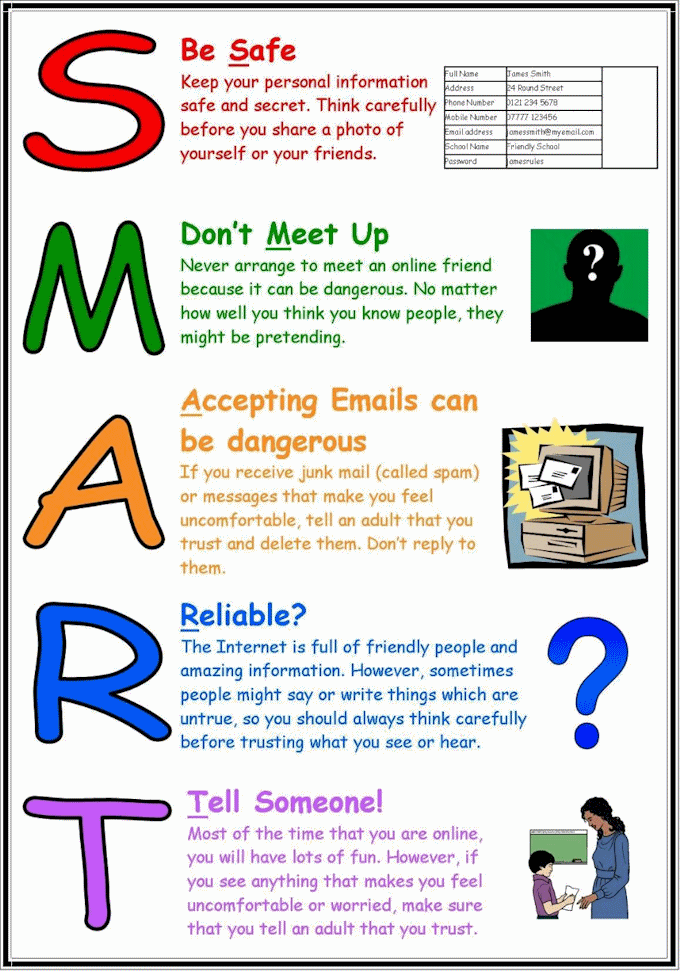
By Chloe Pauls
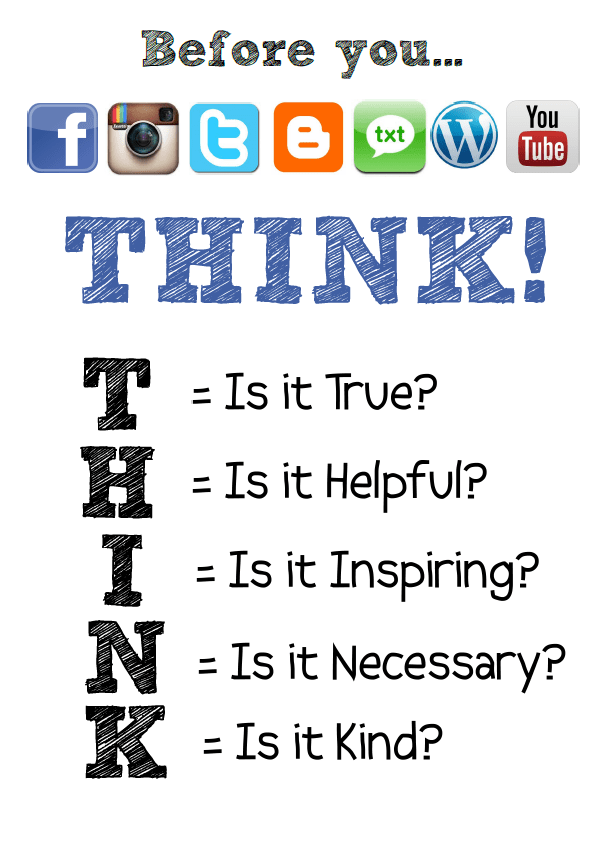
 Online Safety in Social Media